Jupyter Book 2 currently supports two primary ways to export your book as a PDF: LaTeX or Typst. Both are powerful tools for generating high-quality PDFs, but they differ in several key aspects (additional advantages and disadvantages described here):
| Feature | Typst | LaTeX |
|---|---|---|
| Ease of Use | Modern syntax, easier to learn and use | Steeper learning curve, more complex syntax |
| Speed | Fast compilation | Slower compilation, especially for large docs |
| Customization | Templates are easy to modify | Highly customizable, but requires more effort |
| Integration | Designed for MyST Markdown and Jupyter Book | Widely supported in academic publishing |
| Community | Growing, newer ecosystem | Large, established community |
| Features | Good support for math, figures, and tables | Extensive support for math, figures, tables, and packages |
| Output Quality | High-quality, modern look | Professional, traditional academic look |
In short: choose Typst for simplicity and speed, or LaTeX for advanced customization and compatibility with academic standards.
Below we provide the screen shots of the PDF output using Typst (left) using the plain
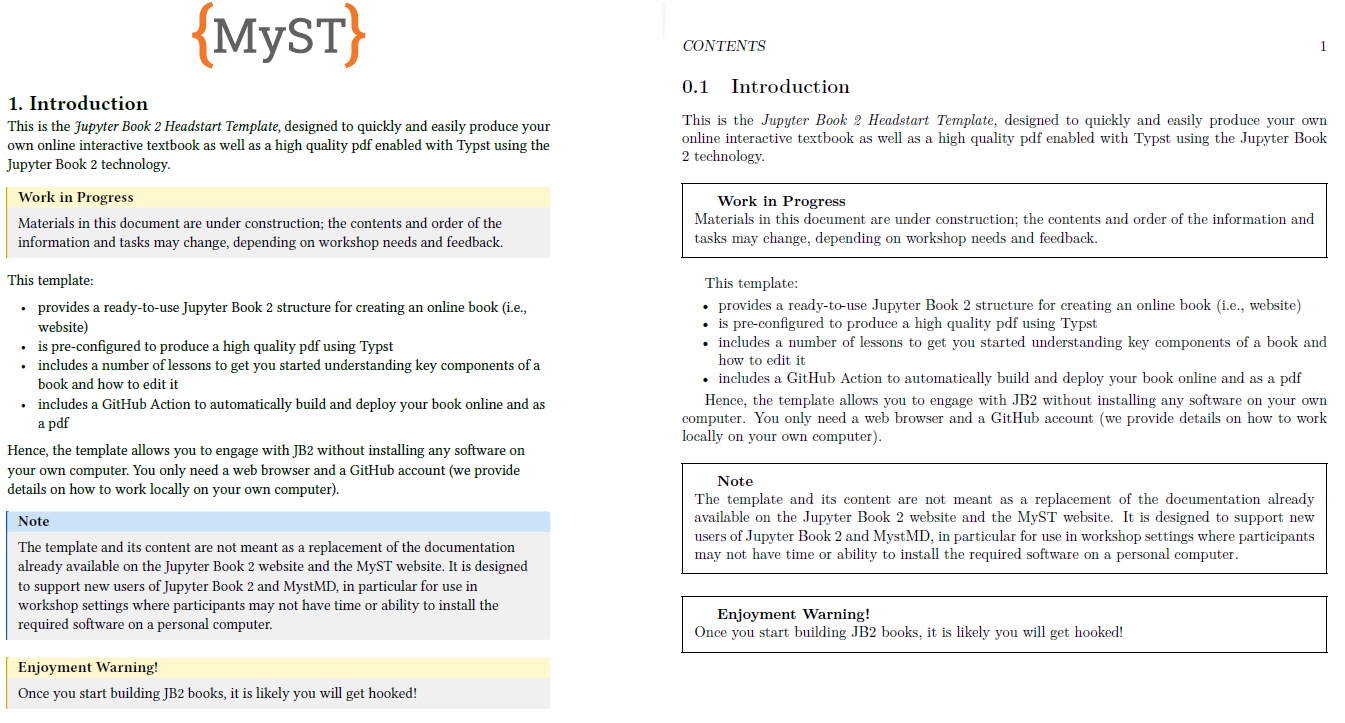
Figure 1:Comparison of PDF output using Typst (left) and LaTeX (right) using both the plain book template.
You can specify the output template, download the template and tweak to match your preferences. We won’t go into detail here, but you can find more information in the MyST Markdown documentations.
Interactive file types
When starting your own project, consider whether a PDF output is desired.
If so, consider the interactive elements that may be included and that some functionality and multimedia types are not supported in a PDF.
For instance, a *.gif file or movie cannot be included in a PDF.
JB2 is thoughtful in this by choosing the best possible alternative if multiple files with the same name but different extensions are present: gif is chosen over png, png over jpg.
For YouTube clips and online interactive materials embedded through iframes, you can make use of plugins. See for instance the iframe-to-thumbnail plugin. This plugin replaces the iframe with a thumbnail image that links to the original content as well as a QR code and a link in the caption.